
Ever been there? It’s 11 PM. You finally squash that last bug. You run the test suite one more time—all green. You manually FTP the files to your server, cross your fingers, and hit refresh on the live site. And… it breaks. Something in the environment is different. Now you’re debugging in the dark.
I’ve been there too many times. That’s why I finally embraced CI/CD, and honestly, it felt like unlocking a cheat code for development. It’s not just fancy jargon; it’s a total game-changer for how you ship software. Let’s break it down without the fluff.
1. CI/CD: Your New Automated Sidekick
At its heart, CI/CD is just a fancy name for automating the tedious parts of getting code from your brain onto a server.
-
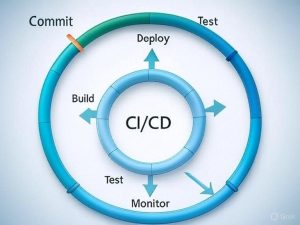
CI (Continuous Integration) is all about the “merge.” Think of it as your automated code reviewer. Every time you or someone on your team pushes code to the main branch (or opens a pull request), a robot butler springs into action. Its only job is to grab the latest code, install the dependencies, run the test suite, and make sure nothing catches fire. It’s your first line of defense, catching bugs before they become a problem. It’s continuous because it’s always happening, seamlessly, in the background.
-
CD (Continuous Delivery/Deployment) is the “get it live” part. This is where the magic really happens. Once CI gives the all-clear, CD takes over. Continuous Delivery means your code is automatically packaged up and placed on the launching pad, ready to be deployed to production with a single click. Continuous Deployment is the full monty—it automatically pushes that blessed code all the way to the live server. No click required. If the tests pass, it ships. It’s a beautiful thing.
Together, they form a pipeline that builds, tests, and deploys for you. It means you can ship code faster and with way more confidence.
2. GitHub Actions: Your CI/CD, Built Right In
Now, you might think setting this up requires some complex server wizardry. It used to. But if you’re using GitHub, the path is stupidly simple: GitHub Actions.
It’s their built-in automation tool, and it’s right there in your repo. The best part? You configure it with a simple YAML file placed in a .github/workflows directory. You define the rules, and GitHub provides the runners (the virtual machines that do the work).
No need to juggle another service. Your automation lives right alongside your code. I love this because it keeps everything in one place.
3. Let’s Build a Simple Pipeline: PHP Test Runner
Alright, enough theory. Let’s get our hands dirty with a real example. I work with PHP a ton, specifically Laravel, but this will work for any PHP project that uses Composer.
The goal: To automatically run our tests and check our code style every time we push to the main branch or someone opens a pull request. We’re not deploying here; we’re just building a safety net.
Here’s how you do it:
-
In the root of your PHP project, create the folders
.github/workflows. This is a special directory GitHub looks for. -
Inside the
workflowsfolder, create a file. Let’s call itci.yml. -
Open that file and paste in this configuration. I’ll walk you through what it all means.
- Pop open that file and paste in this configuration:
name: PHP CI

# When should this robot butler wake up?
on:
  push:
    branches: [ main ]  # On a push to main
  pull_request:         # Or when ANY pull request is opened
    branches: [ main ]

jobs:
  test-suite:
    name: Run PHPUnit Tests
    runs-on: ubuntu-latest # The OS it will run on

    steps:
      # Step 1: Checkout the code. This grabs our latest commit.
      - uses: actions/checkout@v4

      # Step 2: Set up PHP. I'm using 8.3 here, but you can change this.
      - name: Setup PHP
        uses: shivammathur/setup-php@v2
        with:
          php-version: '8.3'
          tools: composer:v2

      # Step 3: Check if composer.json exists and install dependencies, optimizing for CI.
      - name: Check for composer.json
        id: check_composer
        run: |
          if [ -f "composer.json" ]; then
            echo "composer_exists=true" >> $GITHUB_OUTPUT
          fi

      # Step 4: Install dependencies if composer.json was found
      - name: Install Composer dependencies
        if: steps.check_composer.outputs.composer_exists == 'true'
        run: composer install --prefer-dist --no-progress --no-interaction

      # Step 5: Run the actual tests. This assumes you have a script defined in composer.json or a phpunit.xml file.
      - name: Run PHPUnit
        run: vendor/bin/phpunit
-
Commit this file and push it to your
mainbranch on GitHub.
That’s it! You’re done.
Now, navigate to the “Actions” tab in your GitHub repository. You’ll see your new workflow already running. A green check means your code is solid. A red X means something’s broken—and you found out instantly, without having to do a thing.
This is just the start. Once you have this foundation, adding a deployment step (like using rsync a server or a service like DeployHQ) is just a few more lines in this same file. But nailing the “continuous integration” part first is the biggest win. It saves you from those late-night “it worked on my machine” panics. Trust me.